ABAP Cloud - Custom Unit
In this article, we will look at how we can define our own units in the system and then connect them to our RAP application.

Table of contents
In this article, we will create a new unit of measurement in the system. We will look at the API and later integrate the unit into our application.
Introduction
The standard usually provides enough standard units that you can use out of the box. However, there may be times when you need to create your own unit to cover a specific case in your application. In this article, we will create our own unit and look at the different options.
Basics
In the past, you would have had to search for the units in the various tables if you wanted to read the unit. If you then need the text, you have to include yet another table. For ISO code, dimensions, and other things, you access the next tables directly. None of them are really described or related. But since we're already in the world of Core Data Services, the view I_UnitOfMeasure is available to us. Once you've memorized the name, that's enough for the rest of the information, as you can look it up via the associations.
SELECT FROM I_UnitOfMeasure
  FIELDS UnitOfMeasure,
         UnitOfMeasureISOCode,
         \_Text[ Language = @sy-langu ]-UnitOfMeasureName,
         \_Text[ Language = @sy-langu ]-UnitOfMeasureLongName,
         \_Dimension-UnitOfMeasureDimension
  INTO TABLE @DATA(result)
  UP TO 10 ROWS.
As a result, after our clear SELECT statement, we obtain all the data we need without having to perform joins between the tables. However, we must consider the language here, otherwise we will receive the text in the wrong language.

API
If we want to create our own units, the API CL_UOM_MAINTENANCE is available to us. This allows us to create, modify, delete, and populate our own units with texts in various languages.
Creation
In our first example, we want to define a new unit. A few releases ago, the ABAP environment only allowed the creation of Z* units. This restriction has been removed, and we can now also modify standard units or create units in the standard namespace. In this case, we create a unit FPR, which stands for "Full Percent" and represents a percentage unit without a decimal point. The first step is to instantiate the API.
DATA(unit) = cl_uom_maintenance=>get_instance( ).
In the second step, we define the values for our new unit. We set the decimal places to zero, since the unit should have no decimal places. We also provide some initial text for the new unit here.
DATA(setting) = VALUE cl_uom_maintenance=>ty_uom_cre_ts(
  commercial   = 'FPR'
  technical    = 'FPR'
  denominator  = 100
  numerator    = 1
  dec_disp     = 0
  dec_round    = 0
  iscommercial = abap_true
  isocode      = 'P1'
  text         = 'Percent'
  long_text    = 'Percent (Short)' ).
Using the CREATE method, we also specify a suitable dimension, which we took from the original (percentage). The API should now create the new unit, and the ERROR_STATUS should remain empty. We won't receive a log in this case. However, an error message should be included in the exception if one is thrown.
unit->create( EXPORTING unit_dimid  = 'PROPOR'
                        unit_int    = 'FPR'
                        unit_cre_ts = setting
              IMPORTING error       = DATA(error_status) ).
Texts
Looking at the texts in the Data Preview, we'll see that we currently only have the basic texts in English. We want to make other languages available here as well.

We can maintain new languages using the MAINTAIN_TRANSLATION method, but we have to pass each language to the method one by one. Here too, the corresponding error flag is set or an exception is thrown if the maintenance fails.
unit->maintain_translation( EXPORTING language   = 'D'
                                      unit_int   = 'FPR'
                                      commercial = 'FPR'
                                      technical  = 'FPR'
                                      text       = 'Prozent'
                                      long_text  = 'Prozent (Kurz)'
                            IMPORTING error      = DATA(error_status) ).

unit->maintain_translation( EXPORTING language   = 'F'
                                      unit_int   = 'FPR'
                                      commercial = 'FPR'
                                      technical  = 'FPR'
                                      text       = 'Pour cent'
                                      long_text  = 'Pourcentage (court)'
                            IMPORTING error      = error_status ).
If we check our Core Data Service again after execution, we find the two additional languages in the table.

Delete
If the unit doesn't suit us or the test is finished, you can remove the unit from the system using the DELETE method.
unit->delete( EXPORTING unit  = 'ZPR'
              IMPORTING error = DATA(error_status) ).
Hint: When deleting units, especially consider side effects that can occur in applications where the unit is already in use. Therefore, only edit units where you are certain of their use.
Transport
The GET_INSTANCE method allows you to also specify a transport request. Here you can record all table entries and transfer them to the subsequent systems.

Extension
Let's now extend our Sales App to test the new unit in the UI. For this, we need a value help for our field. In addition to the standard view, there's also the view I_UnitOfMeasureStdVH for the value help. To do this, we extend our Core Data Service ZBS_C_SASale with the annotation and mapping of the element.
@Consumption.valueHelpDefinition: [{ entity: { name: 'I_UnitOfMeasureStdVH', element : 'UnitOfMeasure' } }]
DifferenceUnit,
Finally, we'll include the search help in the service definition so that it's delivered and authorized along with our service.
expose I_UnitOfMeasureStdVH;
Finally, let's test our application with the new unit. To do this, we select the new unit in the search help and enter the first number. In the next step, we want to use a number with a comma, but this doesn't work because our new unit doesn't allow commas. The number formatting also displays without a comma, as shown after the first entry.

Error
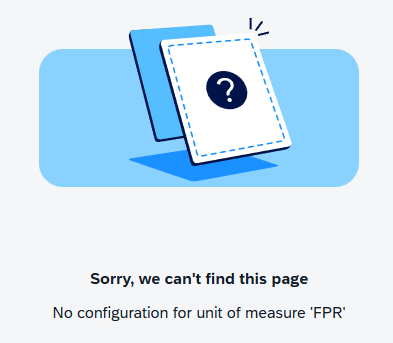
If we delete the unit from the system and then run our application, it continues to work initially. However, if we then navigate to an entry where the unit was maintained, we see the side effect, since we didn't clean up our master data beforehand. The entry is no longer loading and we receive an error message.
Complete Example
You can find the extension in the app as a commit in the GitHub repository, where all RAP examples are located. The class from the article can be found here; it is not part of the project.
CLASS zcl_bs_demo_custom_unit DEFINITION
  PUBLIC FINAL
  CREATE PUBLIC.

  PUBLIC SECTION.
    INTERFACES if_oo_adt_classrun.

  PRIVATE SECTION.
    METHODS select_units
      IMPORTING !out TYPE REF TO if_oo_adt_classrun_out.

    METHODS create_unit
      IMPORTING !out TYPE REF TO if_oo_adt_classrun_out.

    METHODS delete_unit
      IMPORTING !out TYPE REF TO if_oo_adt_classrun_out.

    METHODS create_translation
      IMPORTING !out TYPE REF TO if_oo_adt_classrun_out.

ENDCLASS.


CLASS zcl_bs_demo_custom_unit IMPLEMENTATION.
  METHOD if_oo_adt_classrun~main.
    select_units( out ).
    create_unit( out ).
    create_translation( out ).
    delete_unit( out ).
  ENDMETHOD.


  METHOD select_units.
    SELECT FROM I_UnitOfMeasure
      FIELDS UnitOfMeasure,
             UnitOfMeasureISOCode,
             \_Text[ Language = @sy-langu ]-UnitOfMeasureName,
             \_Text[ Language = @sy-langu ]-UnitOfMeasureLongName,
             \_Dimension-UnitOfMeasureDimension
      INTO TABLE @DATA(result)
      UP TO 10 ROWS.

    out->write( result ).
  ENDMETHOD.


  METHOD create_unit.
    DATA(unit) = cl_uom_maintenance=>get_instance( ).

    TRY.
        DATA(setting) = VALUE cl_uom_maintenance=>ty_uom_cre_ts( commercial   = 'FPR'
                                                                 technical    = 'FPR'
                                                                 denominator  = 100
                                                                 numerator    = 1
                                                                 dec_disp     = 0
                                                                 dec_round    = 0
                                                                 iscommercial = abap_true
                                                                 isocode      = 'P1'
                                                                 text         = 'Percent'
                                                                 long_text    = 'Percent (Short)' ).

        unit->create( EXPORTING unit_dimid  = 'PROPOR'
                                unit_int    = 'FPR'
                                unit_cre_ts = setting
                      IMPORTING error       = DATA(error_status) ).

        out->write( error_status ).

      CATCH cx_uom_error INTO DATA(error).
        out->write( error->get_text( ) ).
    ENDTRY.
  ENDMETHOD.


  METHOD create_translation.
    DATA(unit) = cl_uom_maintenance=>get_instance( ).

    TRY.
        unit->maintain_translation( EXPORTING language   = 'D'
                                              unit_int   = 'FPR'
                                              commercial = 'FPR'
                                              technical  = 'FPR'
                                              text       = 'Prozent'
                                              long_text  = 'Prozent (Kurz)'
                                    IMPORTING error      = DATA(error_status) ).

                                    out->write( error_status ).

        unit->maintain_translation( EXPORTING language   = 'F'
                                              unit_int   = 'FPR'
                                              commercial = 'FPR'
                                              technical  = 'FPR'
                                              text       = 'Pour cent'
                                              long_text  = 'Pourcentage (court)'
                                    IMPORTING error      = error_status ).

        out->write( error_status ).

      CATCH cx_uom_error INTO DATA(error).
        out->write( error->get_text( ) ).
    ENDTRY.
  ENDMETHOD.


  METHOD delete_unit.
    DATA(unit) = cl_uom_maintenance=>get_instance( ).

    TRY.
        unit->delete( EXPORTING unit  = 'FPR'
                      IMPORTING error = DATA(error_status) ).

        out->write( error_status ).

      CATCH cx_uom_error INTO DATA(error).
        out->write( error->get_text( ) ).
    ENDTRY.
  ENDMETHOD.
ENDCLASS.
Conclusion
With the standard API, it is possible to adjust the units in the system or define your own units. In the past, some customers wanted to define their own units, as these were also available on-premises and should be processed in the BTP. But it is also important to note the information in the documentation on how to handle your own units.
Source:
SAP Help - Maintaining Units of Measurement
SAP Help - Retrieving and Resetting Standard Units of Measurement