RAP - Popup Mandatory Fields
How can you actually define required fields for a popup in RAP? In this article we will go into the details in more detail.
Table of contents
In this article we will look at how we can define additional required fields for our Excel Upload Action and then validate them. To do this we will look at various solutions.
Introduction
In this example we will extend our app for the Report Pattern. Normally you define required fields within the behavior definition when it comes to fields of the RAP business object. But how would that work for the popup in our campaign?
Problem
When we load our Excel file, the first step is to show a popup where the user can enter additional information. The problem, however, is that the fields are not mandatory and can therefore be left empty.
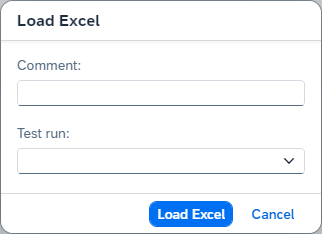
In principle, the annotation "@ObjectModel.mandatory" available, but this is not released for ABAP Cloud and therefore no more mandatory fields can be set in the entity via the annotation. Since we need a sustainable and long-term path, we will look at two solutions.
Solution
Here you will find two suggested solutions to achieve the desired result and get the user to enter the fields.
Checking
One simple way is to check the mandatory information before actually executing the action. This means we carry out the validation as a first step before we then execute the following logic. To do this, we extend the behavior implementation of the method "LoadExcelContent".
IF ls_key-%param-EventComment IS INITIAL.
  INSERT new_message( id       = 'ZBS_DEMO_RAP_PATTERN'
                      number   = '008'
                      severity = if_abap_behv_message=>severity-error )
         INTO TABLE reported-%other.
  RETURN.
ENDIF.
If the EventComment field is empty, we output an error message and leave the current logic or method completely. However, we cannot validate the "TestRun" because empty is also a result. As a result, we receive a warning message from the backend in the first step.
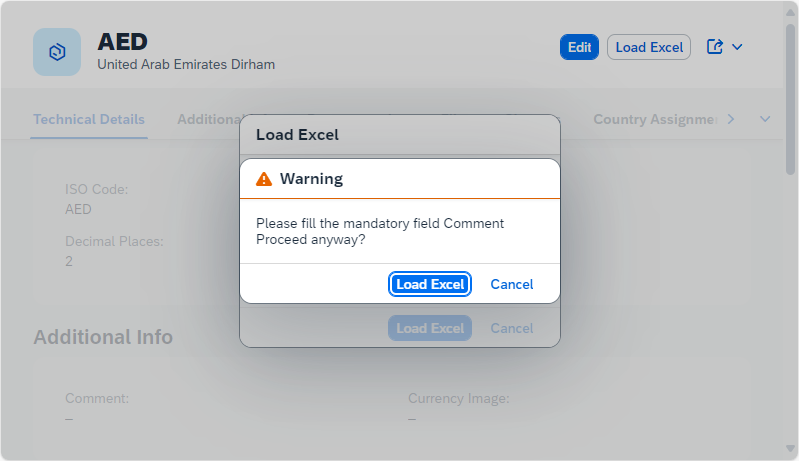
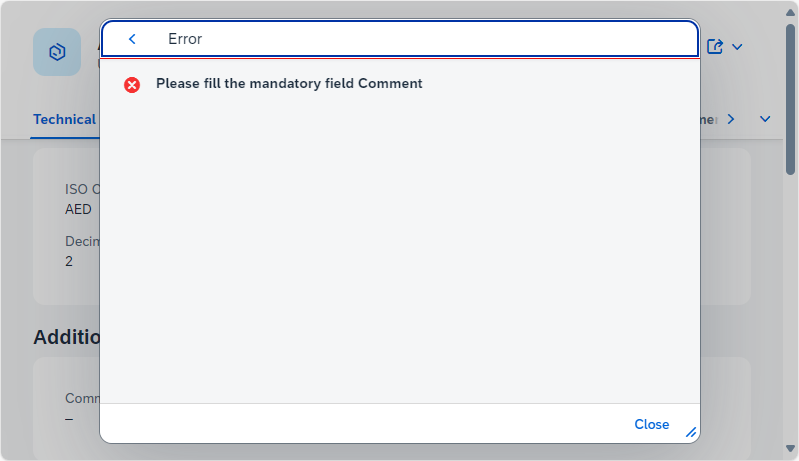
If we confirm the warning, it becomes an error message. The popup is hidden and the classic error message is displayed.
Behavior
As a second solution, we want to store new behavior for the abstract entity. In another article we have already used an abstract entity to pass deep structures to an API. In this case we have to extend our abstract entity "ZBS_S_DRPExcelPopup" with the keyword ROOT, otherwise we cannot create a behavior definition.
@EndUserText.label: 'Excel Popup'
define root abstract entity ZBS_S_DRPExcelPopup
{
  @EndUserText.label: 'Comment'
  EventComment : abap.char(60);
  @EndUserText.label: 'Test run'
  TestRun : abap_boolean;
}
In the next step, you can use the context menu of the object to create a behavior definition that is marked as "abstract".

However, we have to deactivate the STRICT mode in the generated behavior definition so that we can activate the object without errors. In Andre Fischer's article below, this is also possible with the STRICT mode, but with a few additions.
abstract;

define behavior for ZBS_S_DRPExcelPopup
{
  field ( mandatory ) EventComment, TestRun;
}
If we now look at the popup, the corresponding markers have been set here and the fields have been defined as mandatory fields.
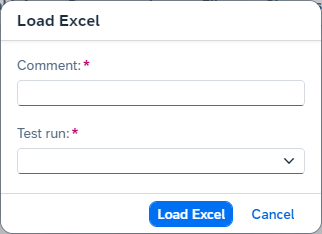
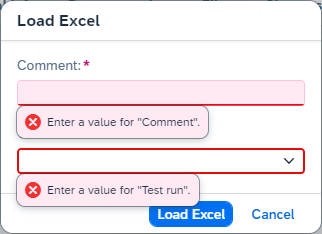
If we now carry out the action without entering the parameters, we receive an error message directly in the UI and cannot proceed any further. Here you will also notice that the Yes/No field now also has a validation and we have to explicitly select a value. Empty values are no longer possible.
Complete example
You can find all changes from this article and all new objects in the corresponding commit in the GitHub repository and can thus understand the changes made.
Conclusion
There are currently various options for defining mandatory fields. Which one you want to use in your scenario is ultimately up to you.